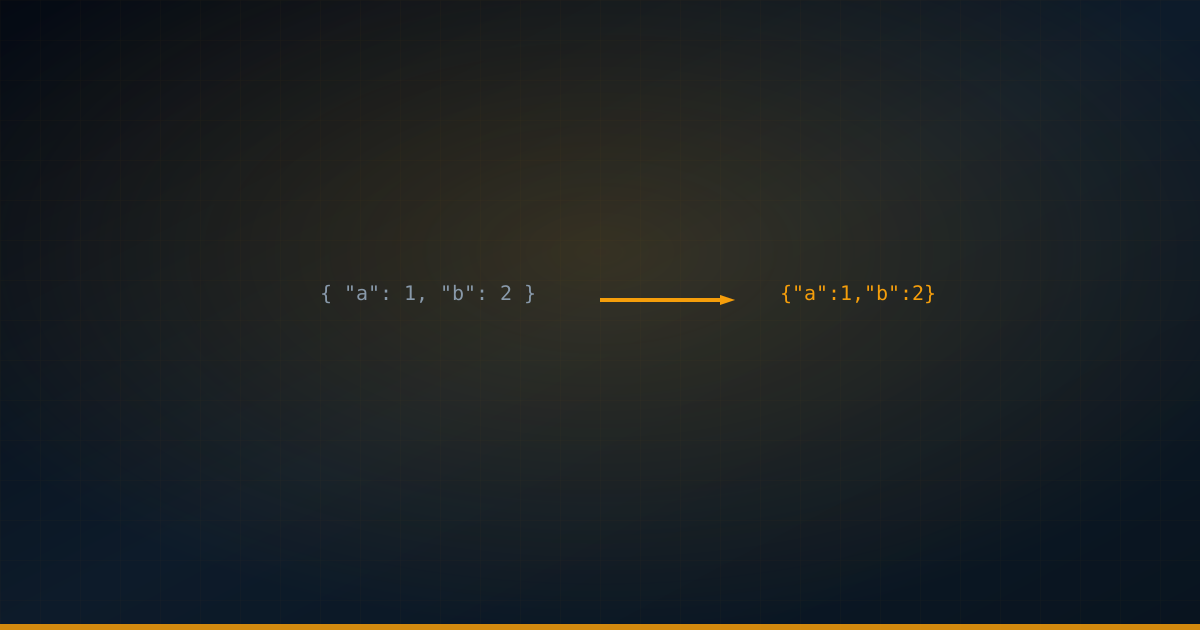
JSON payloads in development are often pretty-printed with 2-space indentation for readability. But in production, those extra spaces, newlines, and tabs are wasted bytes. A typical API response goes from 4 KB formatted to 2.5 KB minified —a 37% reduction. When you're serving millions of requests, that adds up to significant bandwidth savings and faster response times.
JSON minification strips three things: unnecessary whitespace (spaces, tabs, newlines between tokens), trailing commas (which aren't valid JSON anyway), and optionally, whitespace inside string values (though this requires care). The resulting JSON is functionally identical —same data, same structure, same parse result.
How Much Can You Save?
| Format | Size | Ratio |
|---|---|---|
| Pretty-printed (2 spaces) | 4,231 bytes | 100% |
| Minified (no whitespace) | 2,587 bytes | 61% |
| Minified + gzip | 892 bytes | 21% |
| Minified + brotli | 734 bytes | 17% |
Minification alone saves ~40%. But combine minified JSON with gzip or brotli compression (which most CDNs and servers enable by default), and you save 80-83%. This means that if you're already using gzip/brotli, JSON minification provides diminishing returns. The real optimization priority is: ensure your server has compression enabled, then minify for the remaining gains.
Minification in JavaScript
// Method 1: JSON.stringify (removes whitespace automatically)


const formatted = JSON.stringify(data, null, 2);  // Pretty-printed


const minified = JSON.stringify(data);              // Minified


// Method 2: Custom replacer to strip unnecessary data


const cleanData = JSON.stringify(data, (key, value) => {


  // Remove null and undefined values


  if (value === null || value === undefined) return undefined;


  // Remove empty strings


  if (value === '') return undefined;


  // Remove empty arrays


  if (Array.isArray(value) && value.length === 0) return undefined;


  return value;


});


// Method 3: Strip string whitespace (use with caution)


function deepTrim(obj) {


  if (typeof obj === 'string') return obj.trim();


  if (Array.isArray(obj)) return obj.map(deepTrim);


  if (obj && typeof obj === 'object') {


    const result = {};


    for (const [k, v] of Object.entries(obj)) {


      result[k] = deepTrim(v);


    }


    return result;


  }


  return obj;


}
Minification in Python
import json


# Load pretty-printed JSON


with open('data.json') as f:


    data = json.load(f)


# Minify: separators without whitespace


minified = json.dumps(data, separators=(',', ':'))


# Default separators are (', ', ': ') which include spaces


# Save minified version


with open('data.min.json', 'w') as f:


    f.write(minified)


# Strip null values during serialization


def remove_nulls(obj):


    if isinstance(obj, dict):


        return {k: remove_nulls(v) for k, v in obj.items()


                if v is not None}


    elif isinstance(obj, list):


        return [remove_nulls(v) for v in obj if v is not None]


    return obj


clean = json.dumps(remove_nulls(data), separators=(',', ':'))
Advanced: Key Shortening Strategy
// Map long keys to short ones for transport


const keyMap = {


  'user_id': 'uid',


  'created_at': 'cat',


  'updated_at': 'uat',


  'authentication_token': 'tkn'


};


function shortenKeys(obj, map) {


  if (Array.isArray(obj)) return obj.map(item => shortenKeys(item, map));


  if (obj && typeof obj === 'object') {


    const result = {};


    for (const [key, value] of Object.entries(obj)) {


      const newKey = map[key] || key;


      result[newKey] = shortenKeys(value, map);


    }


    return result;


  }


  return obj;


}


// Use for client-server communication


const response = shortenKeys(fullData, keyMap);


// Client maps keys back using the reverse mapping
Server-Side Compression Setup
import express from 'express';


import compression from 'compression';


const app = express();


// Enable gzip compression for all responses


app.use(compression({


  level: 6,           // 1-9, 6 is a good balance


  threshold: 1024,    // Only compress responses > 1KB


  filter: (req, res) => {


    // Don't compress images (already compressed)


    if (res.getHeader('Content-Type')?.includes('image')) {


      return false;


    }


    return compression.filter(req, res);


  }


}));


// JSON responses are now automatically compressed


app.get('/api/data', (req, res) => {


  res.json(largeDataObject);


});
There are cases where minification hurts more than it helps: debugging —minified JSON is unreadable in browser dev tools and log files; caching —if you cache formatted responses for debugging, don't minify them; streaming —if you're streaming JSON incrementally, minification adds processing overhead per chunk; and internal services —within your own infrastructure, the bandwidth savings rarely justify the added complexity.
Key Takeaways
- JSON minification removes whitespace, saving ~35-40% of payload size
- Server-side gzip/brotli compression saves 80%+ —enable this first before worrying about minification
- In JavaScript,
JSON.stringify(data)without indent produces minified output - In Python, use
json.dumps(data, separators=(',', ':'))for minified output - Key shortening can save additional bytes for high-volume APIs, but adds complexity
- Don't minify data you need to debug —save minification for production-only responses